 using WordPress and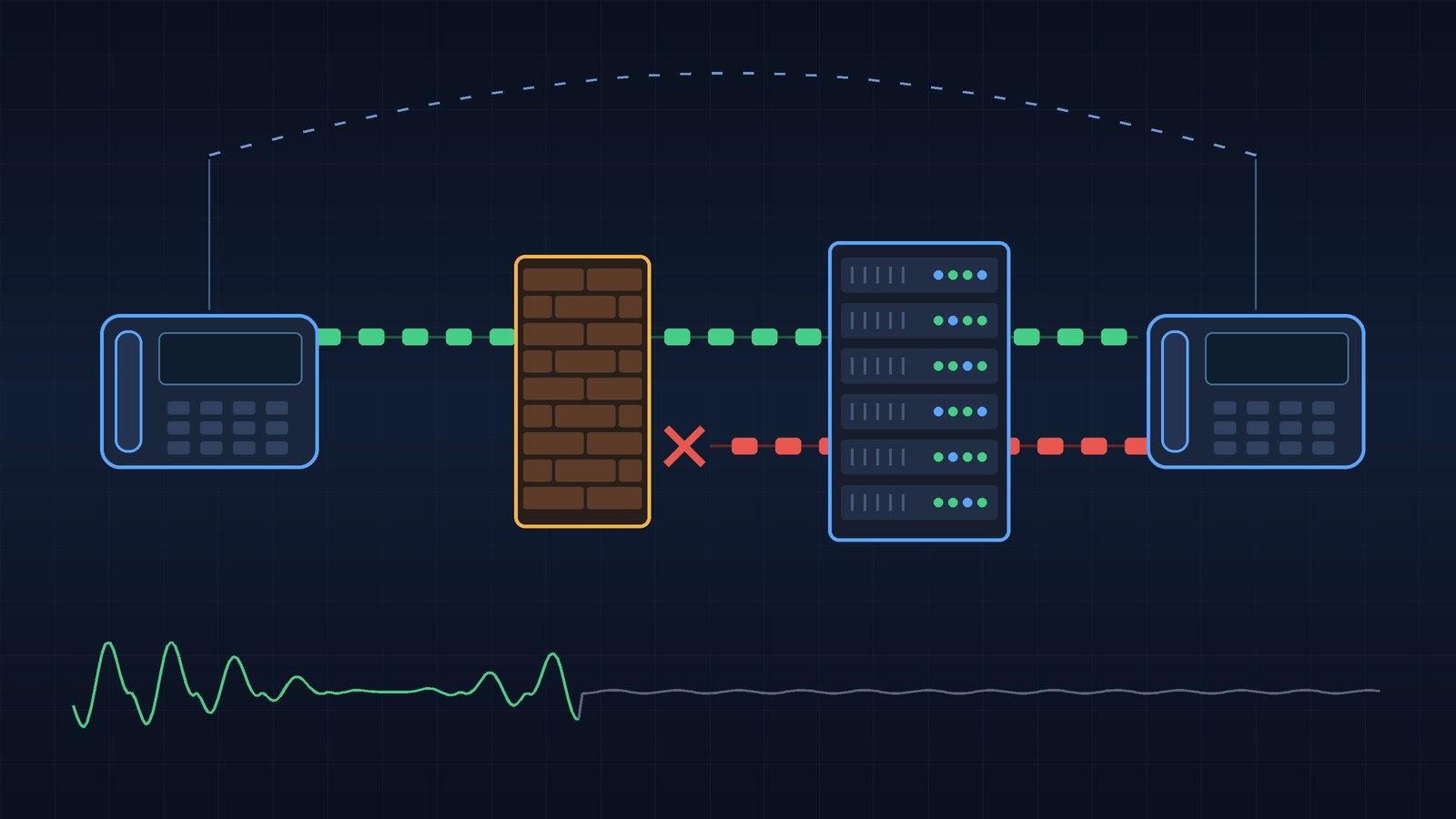
The ticket always reads about the same. “Calls connect fine, but the customer can’t hear us.” Or the mirror image. Sometimes it only happens after a hold. Sometimes only on Tuesdays, which is when you start questioning your career choices.
I’ve chased SIP one-way audio more times than I can count over a couple of decades in enterprise networking and voice. The good news is that it’s one of the most predictable problems in the field. It feels random. It isn’t.
Here’s the whole post in one sentence: SIP signaling is the doorbell, RTP is the conversation, and one-way audio almost always means the media path is broken, not the signaling. The rest of this is how to prove it and fix it.
The doorbell and the conversation
When a call connects and the timer counts up on both phones, SIP did its job. SIP (RFC 3261) rings the doorbell and agrees on how the conversation will happen. It doesn’t carry a syllable of anyone’s voice.
The voice rides in RTP, the Real-time Transport Protocol (RFC 3550), over UDP on different ports and often between different devices. In a typical enterprise setup the phone talks SIP to the call controller while the audio goes phone to phone, or phone to a gateway or SBC. The call controller can be perfectly healthy while the audio never comes near it.
People see the call connect and assume “the network is fine.” It was fine for a few hundred bytes of signaling on port 5060. That says nothing about the two UDP streams that actually matter.
And notice the word two. A normal call is two independent one-way streams, one in each direction, free to take different paths and hit different firewall rules. When only one of them dies, you get one-way audio.
How SDP tells the other side where to send audio
So how does each phone know where to send its RTP? That’s the job of SDP, the Session Description Protocol (originally RFC 4566, now replaced by RFC 8866). SDP rides inside SIP messages as the body. The two sides trade SDP using the offer/answer model in RFC 3264: one side offers, the other answers.
A trimmed-down SDP looks like this:
v=0
o=- 4711 1 IN IP4 192.168.10.50
s=-
c=IN IP4 192.168.10.50
t=0 0
m=audio 16384 RTP/AVP 0 8 101
a=rtpmap:0 PCMU/8000
a=rtpmap:8 PCMA/8000
a=rtpmap:101 telephone-event/8000
a=sendrecv
The two lines I care about first, every single time:
- c= is the connection address. It says “send my audio to this IP.”
- m= is the media line. It says “on this UDP port, using these payload types.” Here that’s port 16384 with G.711 u-law (0), G.711 a-law (8), and DTMF events (101).
The a=sendrecv at the bottom marks a normal two-way call. Its siblings sendonly, recvonly, and inactive come back when we get to hold.
Here’s the part that trips people up. In SDP, each side tells the other where it wants to receive. You don’t pick where you send. The far end tells you, and you obey. So if a phone puts a bad address in its own SDP, it isn’t the phone that suffers directly. It’s the other party’s audio that gets fired at a bad address, and the phone that wrote the bad SDP ends up deaf.
That gives you the single most useful rule in this post: whoever can’t hear is usually the one whose SDP is wrong, or whose inbound path is blocked.
One more detail: RTP conventionally uses an even port and RTCP (the control and statistics channel) the next odd port up. RFC 3550 relaxed that into a recommendation, but most gear still follows it, so open the pair.
Why NAT breaks the media path
NAT and SIP have been in a bad marriage since the beginning. NAT rewrites addresses in the IP header. SIP and SDP write addresses inside the payload. NAT doesn’t read the payload, so the two stories stop matching the moment a packet crosses the firewall.
The private address in the SDP
This is the classic. A phone on 192.168.10.50 builds its SDP with c=IN IP4 192.168.10.50. The firewall translates the IP header on the way out to your public address, but the SDP body still says 192.168.10.50. The provider’s media server reads that, dutifully sends RTP to a private address on the internet, and those packets go nowhere.
Meanwhile the phone’s own outbound RTP gets translated just fine, so the far end hears you perfectly. You hear nothing. Textbook one-way audio, and the side that can’t hear is the side behind the NAT.
Pinholes that time out, or never open
A stateful firewall lets return UDP traffic in because it saw outbound traffic first and built a mapping. That mapping has a timer. If no packets flow for long enough, it ages out.
That’s how you get audio that works for a while and then dies. A long hold or silence suppression on a quiet line can let the mapping expire, and when the far side starts talking again there’s no hole to come in through.
There’s also the opposite case: the far side sends first. With early media (more on that below), the provider may stream ringback or an announcement at you before your phone has sent a single RTP packet outbound. No outbound packet means no mapping, which means the inbound stream hits the firewall and gets dropped.
Asymmetric paths
Dual WAN links, a pair of firewalls, policy routing, an SD-WAN fabric picking a “better” path for voice. Any of these can send media out one door and have it come back through another. A stateful firewall that never saw the outbound half of the conversation will drop the return traffic without a second thought. It’s doing exactly what you told it to do.
If one-way audio only shows up on one site or one circuit, look hard at the routing before you touch a single voice setting.
Fixing signaling doesn’t fix media
Here’s a sneaky one. SIP has its own NAT helper for signaling: the rport parameter from RFC 3581, which lets a server send responses back to the source port a request actually came from rather than the one written in the Via header. It works well, and it’s a big reason phones behind NAT can register at all.
But rport only helps signaling. It does nothing for the SDP, so a phone can register and ring perfectly and still have dead audio.
SIP ALG: the helpful coworker who rearranges your desk
Firewall vendors built a fix years ago: the SIP ALG (Application Layer Gateway), also sold as SIP inspection, SIP fixup, or a VoIP helper. The firewall reads SIP as it passes, rewrites private addresses in the headers and SDP to match the NAT translation, and opens pinholes for the negotiated RTP ports.
In practice, a lot of SIP ALGs are the coworker who reorganizes your desk while you’re at lunch. Nothing is where you left it, and they’re very proud of themselves.
The ways it goes wrong:
- It rewrites things that were already right. If your phone, PBX, or SBC is already handling NAT correctly (and most modern ones are), the ALG “fixes” an address that didn’t need fixing. Now the SDP points somewhere wrong.
- It fights with the SBC or provider. Two devices being clever about NAT on one call rarely ends well.
- It can’t parse everything. Large or unusual messages can get mangled or silently dropped.
My default advice: turn the SIP ALG off and let a component that actually understands SIP handle NAT. That’s the PBX, the SBC, or the provider’s edge. On a Cisco ASA that’s SIP inspection in the global policy, and on most consumer and small business routers it’s a checkbox buried somewhere under advanced settings.
One honest caveat. Occasionally the ALG is the only thing holding a fragile old system together, and turning it off makes things worse until NAT is handled properly somewhere else. Capture before and after.
Firewall rules: RTP doesn’t live on 5060
I’ve lost count of the firewall policies I’ve seen that allow UDP 5060 to the provider and nothing else. Then everyone’s surprised when calls ring but audio is broken.
RTP uses a dynamic range of UDP ports, and your phones, SBC, and provider may each use a different one. Something like 10000 to 20000 is common, but don’t trust a blog post (including this one). Check the actual configuration on each device.
Two specific things to check:
- The provider’s media IPs are often not their signaling IPs. Many SIP trunk providers publish separate address lists for signaling and media. Allow only the signaling ones and you’ve built a perfect one-way audio machine.
- Allow RTCP too. Losing it rarely kills audio by itself, but it wrecks your call quality stats.
Symmetric RTP and comedia: the fix that actually scales
NAT changed the address, but the SDP still advertises the old one. One elegant way out is to stop trusting the SDP for the return path.
RFC 4961 (BCP 131) defines symmetric RTP: a device sends its RTP from the same IP and port it receives on. That sounds like a small detail. It’s actually huge, because it means the outbound stream from a phone behind NAT creates exactly the firewall mapping that the inbound stream needs.
Pair that with comedia or media latching on the far side (vendors also say NAT traversal). The SBC or PBX waits for the first RTP packets, notes the real public source IP and port, and sends its return audio there, ignoring the private address in the SDP.
For a phone behind NAT talking to a hosted platform, latching is usually what makes it work at all. It’s also a trust decision, since you’re sending audio to whoever spoke first, so good SBCs restrict it to the expected source.
Where the SBC fits
A session border controller is the professional answer to most of this. Think of it as a receptionist who sits between your network and the outside world and handles every call personally.
The key feature here is media anchoring. Instead of letting RTP flow directly between endpoints, the SBC terminates media on its own interface and re-originates it on the other side. Inside phones only send audio to the SBC’s inside address, and the provider only sends to its outside address. Each leg gets a simple, predictable path.
On Cisco CUBE this is media flow-through, which is the default. Media flow-around lets RTP bypass the SBC, which saves resources but brings all your NAT and firewall complexity right back. When I moved 34 sites off PRI and onto SIP trunks terminating on centralized CUBEs (there’s more on that on my projects page), anchoring media on the SBC was a big part of keeping the audio path boring. Boring is the goal in voice.
The SBC can be the culprit too. The most common SBC-caused one-way audio I see is interface binding: a dual-homed SBC advertises its inside address in SDP sent to the outside. Check which interface each dial peer or trunk binds media to.
Codecs, early media, and late offer
Codec mismatches
A flat codec mismatch usually kills the call outright with a 488 Not Acceptable Here. Annoying, but honest. One-way audio from codecs is sneakier: one side sends a payload type the other doesn’t decode, or a mid-call re-INVITE changes the codec on one leg only. If RTP flows both ways to the right addresses, compare each stream’s payload type with what the SDP agreed on.
Early media and 183 Session Progress
Before answer, the far end can send ringback or a “the number you have dialed” announcement. This arrives with a 183 Session Progress carrying SDP, and it’s called early media (RFC 3960 covers the details). To make that provisional response reliable, many systems also use PRACK from RFC 3262.
Early media creates some very specific symptoms:
- No ringback, but audio is fine once answered. The early media got blocked, often because no outbound mapping existed yet.
- Ringback works, then silence after answer. The 200 OK carried different SDP than the 183 (the call forked, or a different media server answered), and one side kept sending to the early media address. Compare the two.
Delayed offer (late offer)
Normally the INVITE carries the SDP offer. That’s early offer. But SIP also allows an INVITE with no SDP at all. RFC 3261 says that when the first offer shows up in the 200 OK instead, the answer goes back in the ACK. That’s delayed offer, sometimes called late offer.
Some providers and ALGs handle delayed offer poorly. On CUCM, SIP trunks have historically sent delayed offer unless you enable early offer in the SIP profile or force an MTP. If you see an INVITE with no body followed by trouble, try early offer and test again.
Hold, transfer, and re-INVITE quirks
Every hold, resume, or transfer means a re-INVITE or UPDATE with fresh SDP, and another chance for something in the path to get it wrong.
Per RFC 3264, a party puts a stream on hold by marking it sendonly (or inactive if it was already recvonly). Older gear from the RFC 2543 days used c=IN IP4 0.0.0.0 instead, and RFC 3264 says that approach is no longer recommended for hold. You’ll still run into both, and mixing the two styles across vendors is a reliable way to get audio that never comes back after resume.
When audio dies after hold or transfer, the resume re-INVITE usually pointed media at a new address (a music on hold server, another phone) that a firewall rule or ALG never caught up with. Sometimes the endpoint just ignores the new c= line. Or the hold simply outlasted the NAT timer.
A related symptom that isn’t actually one-way audio: a call that connects, has audio, then drops at about 32 seconds. That’s almost always a lost ACK. With RFC 3261’s default T1 of 500 ms, the server gives up waiting for the ACK after 64 times T1, which is 32 seconds. Different problem, same family of NAT and firewall causes.
A practical troubleshooting workflow
Here’s the order I work in. Not fancy, but no guessing.
Step 1: Describe the symptom precisely
Before touching anything, answer these:
- Which side can’t hear?
- Every call, or only some? Internal calls too, or only provider calls?
- Does ringback play? Does it break at answer, after hold, or after a set time?
Each answer narrows the search. “Inside users can’t hear outside callers, every call, from the first second” points straight at inbound media from the provider.
Step 2: Capture in the right place
Capture SIP and RTP for one failing call, ideally on both sides of the firewall or SBC so you can see exactly what the middle box changed or dropped.
On a Linux box, SBC, or anywhere with tcpdump:
tcpdump -i eth0 -n -s 0 -w failing-call.pcap 'udp port 5060 or udp portrange 10000-20000'Swap in your real RTP range. If SIP runs over TCP or TLS, add tcp port 5060 or tcp port 5061.
For a quick live look at the signaling, sngrep is wonderful. It draws call flows right in the terminal:
sngrep -d eth0
sngrep -I failing-call.pcap
Select the call and you get a ladder diagram where you can read the SDP in the INVITE and the 200 OK.
Step 3: Read the SDP on both sides
For both the offer and the answer, write down the c= address and m= port, then ask: can the other side actually reach this? A private address heading to the internet or an SBC’s inside address on its outside leg is an instant red flag.
Step 4: Compare the SDP with what actually happened
In Wireshark, open Telephony > VoIP Calls, pick the call, and use Flow Sequence to see signaling and RTP on one timeline. Then open Telephony > RTP > RTP Streams. A healthy call shows two streams, one in each direction. One-way audio usually shows one, or two where one is going somewhere odd.
Compare each stream’s real source and destination with what the SDP promised. Audio aimed at 192.168.10.50 from the internet means the private address problem. Audio that reaches the right public address but never shows up on the inside capture means the firewall is eating it.
If Wireshark isn’t decoding the stream as RTP (common when the capture missed the SIP setup), enable the rtp_udp heuristic under Analyze > Enabled Protocols, or use Decode As. From the command line, tshark can summarize streams too:
tshark -r failing-call.pcap -q -z rtp,streamsWith SIP over TLS, capture or debug on the SBC or PBX where it’s decrypted. With SRTP, the payload is encrypted but the headers still show whether packets flow and where, which is usually all you need.
Step 5: Follow the missing stream hop by hop
Now you know which stream is missing. Walk it from sender toward receiver: leaving the sender, hitting the firewall’s outside interface, leaving the inside, reaching the phone. The hop where it disappears is where your problem lives.
Step 6: Change one thing and capture again
Fix the most likely cause, test, and capture again. Change three things at once and you’ll never know which one fixed it, and you’ll get to do this all over again in six months.
Symptom cheat sheet
| What you see | Where I look first |
|---|---|
| Inside users can’t hear outside callers, every call | Private address in outbound SDP, SIP ALG, firewall rules for provider media IPs |
| Outside callers can’t hear inside users | Outbound RTP blocked, wrong SBC interface binding, provider latching to the wrong address |
| No ringback, audio fine after answer | Early media (183) blocked before any outbound RTP opened a mapping |
| Ringback fine, silence after answer | Different SDP in the 183 and the 200 OK, forked call |
| Audio dies after hold or transfer | Re-INVITE with new address not honored, NAT mapping timed out, hold style mismatch |
| Works on one site or circuit, fails on another | Asymmetric routing, dual WAN, per-site firewall or ALG differences |
| Call drops at about 32 seconds | ACK never arrives (not one-way audio, but the same family of causes) |
The SIP one-way audio checklist
Print this, tape it to the rack, and work it top to bottom:
- ☐ Capture one failing call, SIP and RTP, ideally on both sides of the firewall or SBC.
- ☐ Check the
c=andm=lines in both the offer and the answer. No private addresses crossing NAT. - ☐ Confirm RTP is flowing in both directions in Wireshark’s RTP Streams view.
- ☐ Compare the actual RTP source and destination with what the SDP advertised.
- ☐ Disable the SIP ALG unless you have a specific reason to keep it.
- ☐ Verify firewall rules cover the full RTP and RTCP port range on every device.
- ☐ Allow the provider’s media IP ranges, not just their signaling IPs.
- ☐ Confirm symmetric RTP and latching (comedia) where endpoints sit behind NAT.
- ☐ Check SBC media anchoring and which interface each leg binds media to.
- ☐ Compare SDP in the 183 and the 200 OK when ringback works but answer doesn’t.
- ☐ Look at NAT UDP timeouts if audio dies after hold or long silences.
- ☐ Change one thing at a time, and capture again after every change.
Wrapping up
One-way audio feels like a voice problem, so people go digging through phone settings and codec lists first. Nine times out of ten it’s a plain network problem in disguise. An address didn’t survive NAT, or a firewall rule only covers half the conversation. Sometimes it’s a helpful box in the middle that rewrote something it shouldn’t have.
Keep the doorbell and the conversation separate in your head. The doorbell rang, so SIP is probably fine. Go find out where the conversation went: read the SDP, compare it with the packets, and follow the missing stream until it vanishes.
Got a one-way audio war story with a twist I didn’t cover? Drop a comment below or find me on LinkedIn.
73, and may all your streams be symmetric.
Keep reading
If you made it this far, here’s what I’d read next:
- Projects. The bigger network engineering work, including that PRI to SIP migration.
- How to Build Your Own Private Family Streaming Service. Port forwards, WireGuard, and NAT from the home lab side.
- Automation Builds. Python tools that watch the network so I don’t have to.
No responses yet