 using WordPress and
TL;DR
The old line about building a better mousetrap gets misread. People don’t want a better trap. They want the mice gone. When you’re going up against tools that are already good, you win by removing the pain around the job, not by adding features to the product. That’s the thinking behind NerdGram1337, a small, free, local Mermaid diagram app I built for network engineers who are tired of diagrams that are out of date the day after they’re drawn.
“Build a better mousetrap, and the world will beat a path to your door.” It usually gets credited to Ralph Waldo Emerson, though the wording we all know probably isn’t his.
The trouble is how most of us hear it. We hear “better trap” and picture more springs, a nicer finish, a smarter bait cup. But nobody walks into a hardware store because they love mousetraps. They walk in because they’ve got mice. The trap is just the thing standing between them and the outcome they actually want.
I’ve been chewing on that lately, because I recently built something in a category already crowded with good products. That’s a different problem than inventing something new, and it calls for a different set of rules.
Visio and Lucidchart Aren’t the Problem
Let me get this out of the way first. Visio and Lucidchart are mature, well-loved tools. The world doesn’t need another good diagram app, and I had no interest in building a worse clone of either one.
But every network engineer I know has inherited a diagram that was wrong. Maybe it was a Visio file on a share drive with a “_final_v3” on the end, drawn by somebody who left years ago. Maybe it showed a core switch that got replaced two refreshes back. The drawing tool wasn’t the problem. The drawing was fine the day it was made. The problem is everything that happens after that day: keeping it current, knowing what changed, and trusting it when you’re on a bridge call at 2 AM.
That’s the mouse. So here are the four tenets I keep coming back to when you’re disrupting instead of inventing, and how each one shaped NerdGram1337.
Tenet One: Focus on the Job, Not the Product
The job isn’t “draw a box and a line.” The job is “show me what this network looks like, accurately, and keep showing me when it changes.”
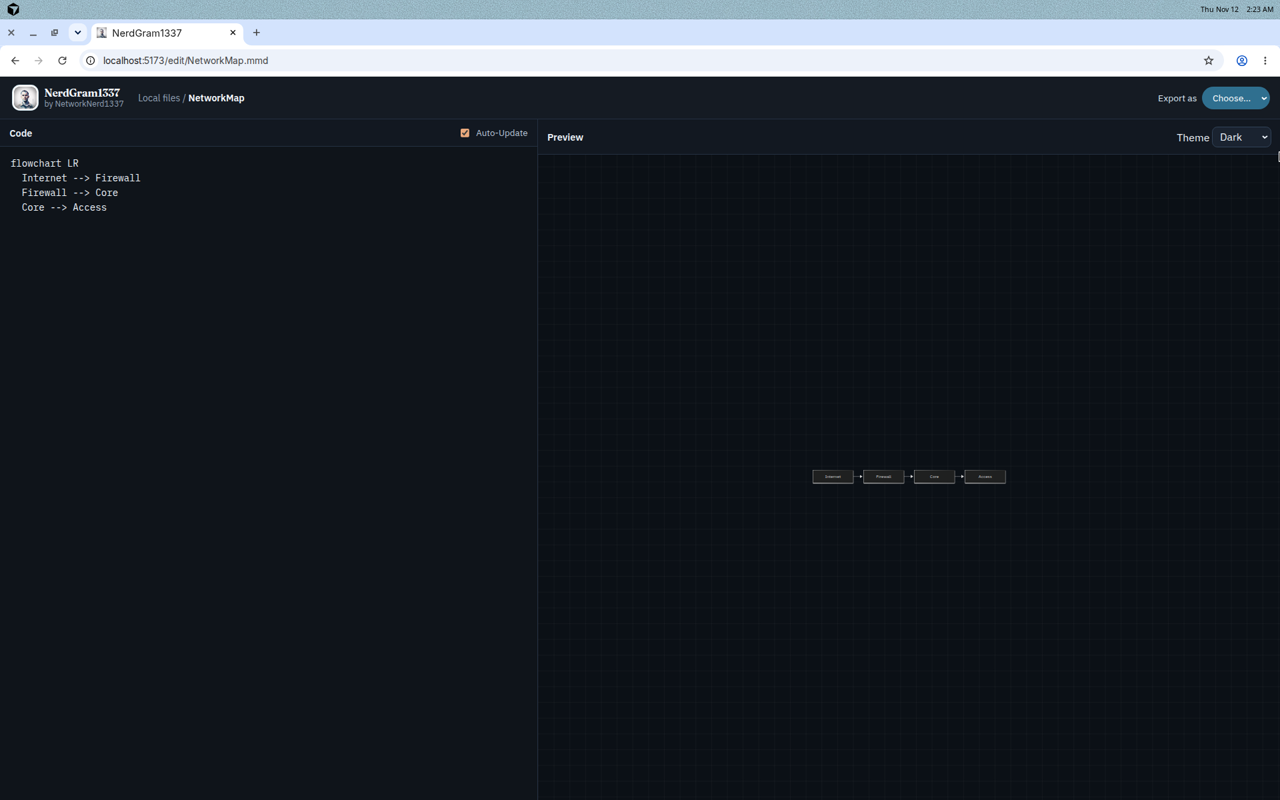
So NerdGram1337 is code-first. Diagrams are written in Mermaid, a text-based diagram language, and every diagram lives as a real .mmd file on disk. You type on one side and the preview renders live on the other, with checks running as you type so a typo shows up before it turns into a broken picture.
Text matters here more than it might seem. A text file can be diffed, searched, reviewed and kept in version control right next to your configs. NerdGram1337 keeps its own history and trash too, so you can see what a diagram looked like before somebody “fixed” it. None of that is fancy. It’s just what the job needs.
Tenet Two: Be Meaningfully Better Where It Hurts
Incremental features don’t get anybody to change how they work. You have to be noticeably better at the exact spot where people feel the pain.
For network diagrams, the worst pain is starting from a blank page and then keeping the thing in sync with reality. So NerdGram1337 can build a diagram from data you already have. That means a CSV links table, a JSON node and edge list, a network JSON file, or pasted Cisco CDP or LLDP neighbor output. The CDP side handles IOS, IOS-XE and NX-OS, and the LLDP parser reads the standard fields regardless of vendor. It knows Gi1/0/1 and GigabitEthernet1/0/1 are the same port, and a link seen from both ends becomes one edge.
The part I care about most is what happens the second time. The generated lines sit between markers in the file, and the data file is saved right next to the diagram. When the network changes, Refresh from data reparses it, shows you the nodes and edges that were added, removed or changed, and only writes the update after you apply it. Anything you added by hand outside those markers, like notes, styling or an extra node, stays put.
I also want to be straight about AI here, since that’s most of what I write about. NerdGram1337 doesn’t use AI to generate diagrams. Your topology comes from a parser reading the output you gave it, so there’s no model guessing at what your network might look like. It does ship an MCP server and a REST API, so if you want an agent or a script to list, read, lint, render or update diagrams, you can wire that up on your terms. But the diagram itself comes from your data, not a confident guess. If you’ve read my post on enterprise AI guardrails, you know why I think that line matters.
Tenet Three: Overcome Switching Costs With Clear Value
Switching tools costs something, even when the new one is free. You have to learn it, trust it, and know you can get your work back out. A better mousetrap has to make that cost small and the payoff obvious.
So the bar I set was simple. Don’t lock anybody in, and don’t make anybody ask permission.
- It runs locally, with Docker or Node.js, and by default it only listens on your own machine. It doesn’t need the internet to edit, preview or export.
- There’s no account, no hosted service and no paywall. It’s MIT licensed.
- Your diagrams are plain
.mmdfiles in a folder. If you walk away from NerdGram1337 tomorrow, your work is still readable text. - Exports go to SVG, PNG, JPG or PDF for the people who just want the picture.
- GitHub sync is optional. When you turn it on, it copies your diagrams to a private repository you own, using an OAuth app you register in your own GitHub account.
It also tries to meet engineers where the rest of their tooling already lives. There’s a token-protected REST API for scripts and CI, an npm command-line tool, and design exports that can write a pyATS testbed, a containerlab, CML, GNS3 or EVE-NG lab file, or an Ansible or Nornir inventory from a diagram. Credentials in those exports are placeholders, and NerdGram1337 never connects to your devices. That’s on purpose.
Tenet Four: Execution and Marketing Still Matter
Here’s the part engineers like to skip. The better mousetrap doesn’t actually make the world beat a path to your door. Somebody has to know it exists, it has to work the first time they try it, and there has to be a way to tell you when it doesn’t.
I’ll be honest, this is the tenet I’m still learning. NerdGram1337 is a recent, small project from one guy. What I can control is execution: a one-command Docker install, sample diagrams on first launch, documentation that explains things plainly, tagged releases with a changelog, and issue and discussion forms so feedback has somewhere to go. Writing posts like this is the other half. A tool nobody hears about solves the mouse problem for exactly one house.
Where It Doesn’t Try to Win
Part of focusing on the job is knowing which jobs aren’t yours. NerdGram1337 isn’t a freeform drawing canvas. The picture comes from the text, so if you want pixel-perfect placement of every icon, Visio and Lucidchart are still great at that. It’s also a local, single-user tool with no accounts or roles. A couple of people can share a folder on a network they trust, but it isn’t trying to be an enterprise collaboration platform.
I’m fine with that. A better mousetrap doesn’t have to be better at everything. It has to be better at getting rid of the mice.
Try It, Break It, Tell Me
Always Be Learning is the closest thing I have to a personal motto, and building in public is how I keep that honest. If you deal with network diagrams, I’d love for you to kick the tires.
The project is on GitHub at github.com/NetworkNerd1337/nerdgram1337, and the website is nerdgram1337.com. Pull the Docker image, point it at some CDP or LLDP output from your lab, and see whether it takes some of the pain out. If something breaks, open an issue. If you have an idea, start a discussion. And if you think I’ve got the mousetrap analogy wrong, my LinkedIn comments are open too.
No responses yet