 using WordPress and
Update, Nov 12, 2026: NerdGram1337 now includes an offline Mermaid syntax reference library.
A diagram is only as useful as it is easy to keep current. When the picture lives in a drag-and-drop tool and the thing it describes lives in code, the two drift apart, and the picture usually loses. I wanted diagrams that behave like the rest of my work, plain text, repeatable, and predictable.
So I built NerdGram1337. It’s a local-run web app for diagramming, built on the open-source mermaid.js rendering engine. You write diagrams in Mermaid markdown, you get a live preview, and what you save is a real folder of .mmd files on disk. It’s free. No ads. No paywall. No cloud storage, either, unless you point the data directory at a folder that already lives on a NAS or a synced drive, which is your call.
Why I built it
I wanted diagramming that was easy, that stayed on a machine I control, and that was capable enough for real work, not just a toy flowchart. Most of all, I wanted it to sit naturally next to code, AI, and automation. If a diagram is markdown, it is repeatable and predictable. A person can write it. A script can write it. An LLM can write it. You can read the diff in a pull request the same way you read a change to a config file. That’s a lot harder to do when the “source” is a proprietary blob in a SaaS app.
The security angle mattered too. I draw diagrams of networks, and some of those diagrams are not the kind of thing I want sitting in a vendor’s cloud because a free tier made it convenient. NerdGram1337 never asks you for an account. It does not sync anywhere. It does not generate diagrams with AI. It renders what you give it, with mermaid.js, in your browser, and it writes files where you tell it to.
How it works
The app is a React and Vite UI talking to a small Express filesystem API. That’s the whole shape of it. It’s under the MIT license, so you can use it, fork it, and read every line if you want to. The code lives in the NerdGram1337 repo on GitHub.
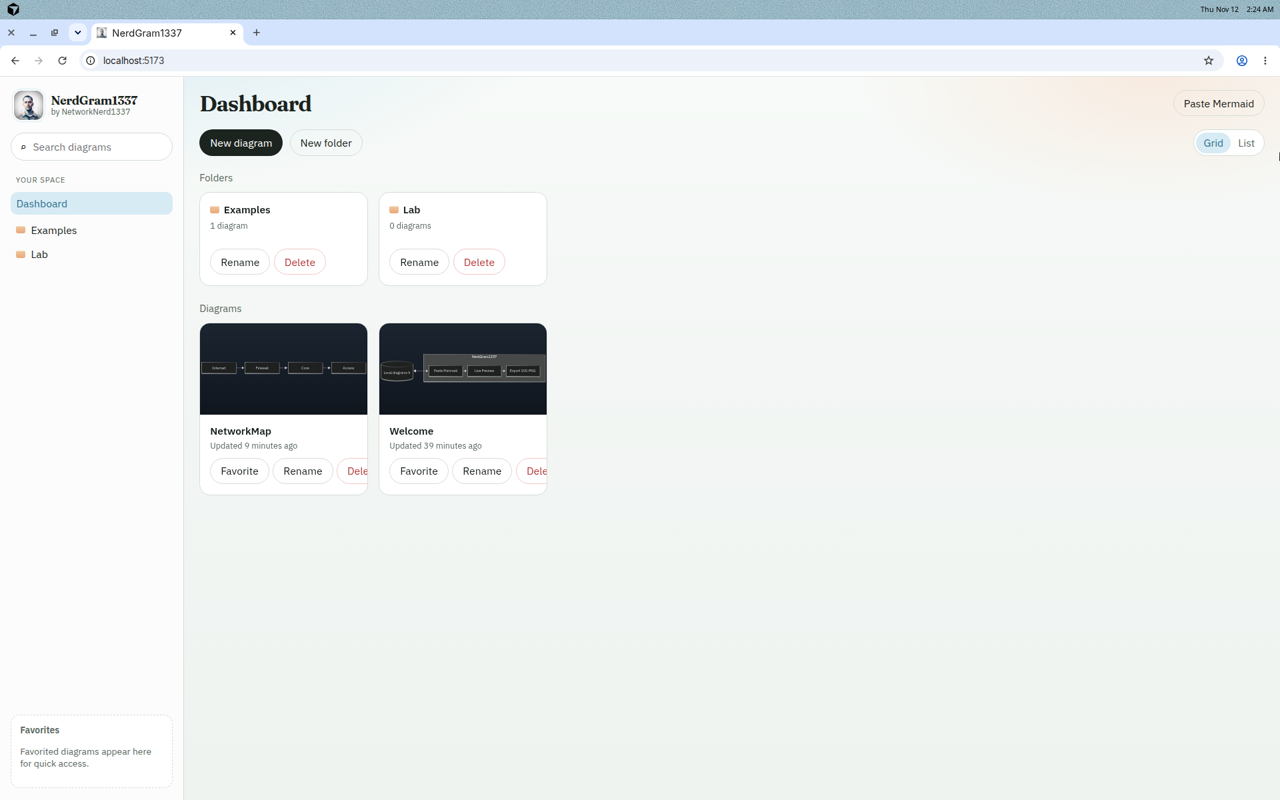
When you open it, you land on a dashboard. The sidebar has search, a folder tree under Your space, and a Favorites box. The main view has buttons for a new diagram, a new folder, and Paste Mermaid, plus a grid or list toggle. Folder cards show how many diagrams are inside, with rename and delete. Diagram cards show a thumbnail, a relative “Updated X minutes ago” timestamp, and buttons to favorite, rename, or delete. Those aren’t virtual objects in a database. They’re folders and .mmd files.
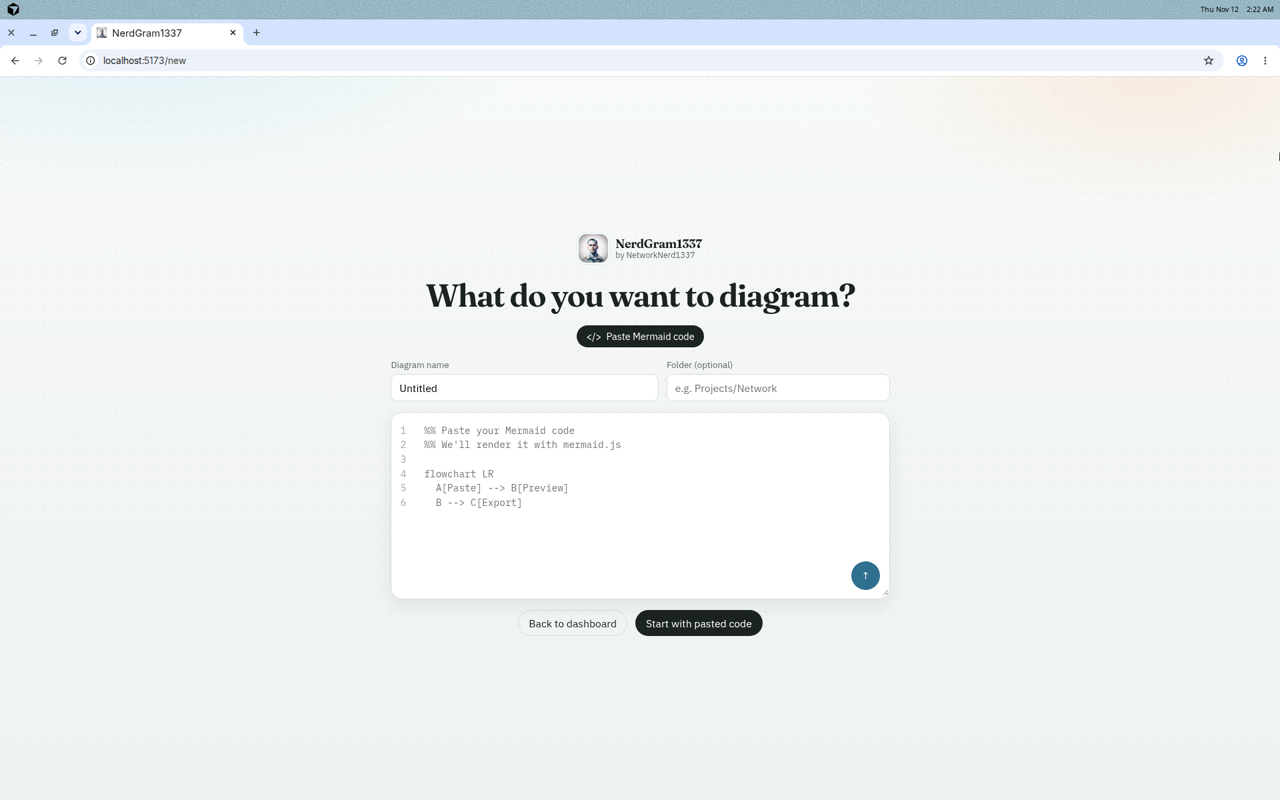
If you already have Mermaid on the clipboard, the fastest path is Paste Mermaid, which takes you to /new. That screen asks, “What do you want to diagram?” You give it a name (it defaults to Untitled), an optional folder such as Projects/Network, and you paste the markdown into the code box. Then you hit Start with pasted code and you’re in the editor. There’s no second mode on that screen. It’s paste-only, on purpose.
The editor is a split view. Mermaid source is on the left, with an Auto-Update checkbox. The live preview is on the right. Leave Auto-Update on and the preview follows as you type. Turn it off if you want to edit in peace and click Update preview when you’re ready. Changes autosave back to the .mmd file, and the header tells you when it’s saved to disk. A “Local files / name” breadcrumb keeps you oriented, and the logo takes you back to the dashboard.
Up in the header there’s an Export as menu for SVG, PNG, and JPG. The preview has a theme switcher with Dark, Default, Neutral, Forest, and Base, which are the mermaid.js themes the app exposes. Here’s NetworkMap.mmd in the Dark theme, which is the one I had open when I grabbed this shot.
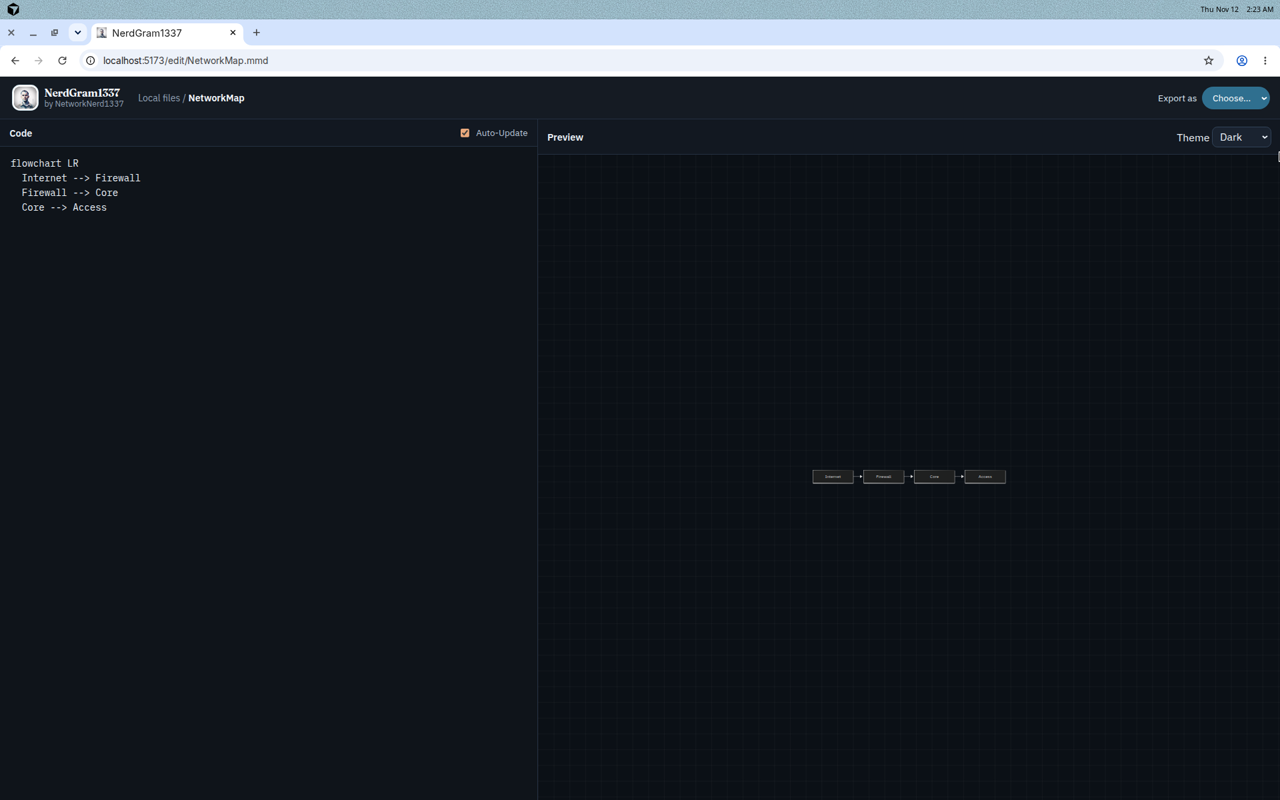
The markdown for that diagram is short enough to quote in full:
flowchart LR
  Internet --> Firewall
  Firewall --> Core
  Core --> Access
Four lines, and mermaid.js turns them into a left-to-right flowchart. That’s the whole idea. You’re not dragging boxes around a canvas and hoping the file format can be rebuilt later. You’re writing a little language that is stable, readable, and already documented. The repo also ships a Welcome diagram and a sequence diagram under an Examples folder, and if mermaid.js can render a type, you can paste it. The mermaid.js documentation is the language reference.
Getting it running
You need Node.js 20 or newer and npm 10 or newer. From the repo:
npm run install:all
npm run dev
The UI listens on http://localhost:5173 and the API on http://localhost:8787. For a production build:
npm run build
npm start
That serves the built client from the Express server, on port 8787.
Where the files actually live
By default, diagrams live in a diagrams/ directory next to the app: real folders and .mmd files. Favorites are stored separately in diagrams/.meta/favorites.json, so starring a diagram doesn’t rewrite the markdown.
If you want the files somewhere else, set NERDGRAM_DATA_DIR to an absolute path. The README shows it like this:
NERDGRAM_DATA_DIR=/absolute/path/to/your/folder npm run dev --prefix serverYou can also export that variable in your environment before you start the app. Point it at a folder on a NAS share, or at a directory your sync client already watches, and you’ve effectively got shared or off-box storage. The app is still just writing files. There’s no NerdGram cloud, and there’s no account behind it.
That split is the part I care about. The tool stays local and boring. Your storage story can be as simple or as fancy as the folder you hand it.
How this fits code, AI, and automation
Once a diagram is a text file, the rest of the workflow gets easier.
You can keep a diagrams/ folder in the same repo as the network as-code, the runbook, or the app it describes. A pull request can show a before-and-after of the Mermaid, and a reviewer can tell whether you added a firewall or just moved a label. Try that with a 4 MB PNG.
A script can write .mmd files. If you already generate inventories, inventories can generate diagrams. Drop the file in the data directory, or write it straight there, and open it in the editor to check the render.
An LLM is pretty good at Mermaid, because Mermaid is just markdown with a small grammar. Let a model draft a flowchart, paste it into /new, and read it the way you’d read any other generated config. The app does not call a model for you, and that’s intentional. I want the markdown in front of me, on disk, before I trust the picture.
The same syntax shows up in GitHub-flavored markdown, a lot of documentation tools, and plenty of README files, so you’re not learning a dialect that only works inside NerdGram1337. Learn it once, use it everywhere, and keep the live editor for the part where you want a fast preview and a clean export.
Grab it and go
If this sounds useful, the code is on GitHub, under the MIT license. mermaid.js does the heavy lifting on the render, and its docs are at mermaid.js.org. Clone it, point it at a folder, and paste something you’ve already got in a README. That’s the shortest path I know to a diagram you can actually keep. It’s also listed on my Software page, where I keep the GitHub links for the projects I publish.
No responses yet